


Mounting a TV Above a Fireplace: 4 Checks to Do Before You Drill
It looks great in photos, but heat and neck strain ruin a lot of fireplace TVs. Run these four checks first, then pick a mount that tilts or...


How-to
What is behind your drywall decides how you mount your TV. A plain-English guide to wood studs, condo steel studs, concrete, brick and plaster, and the fasteners each one needs.
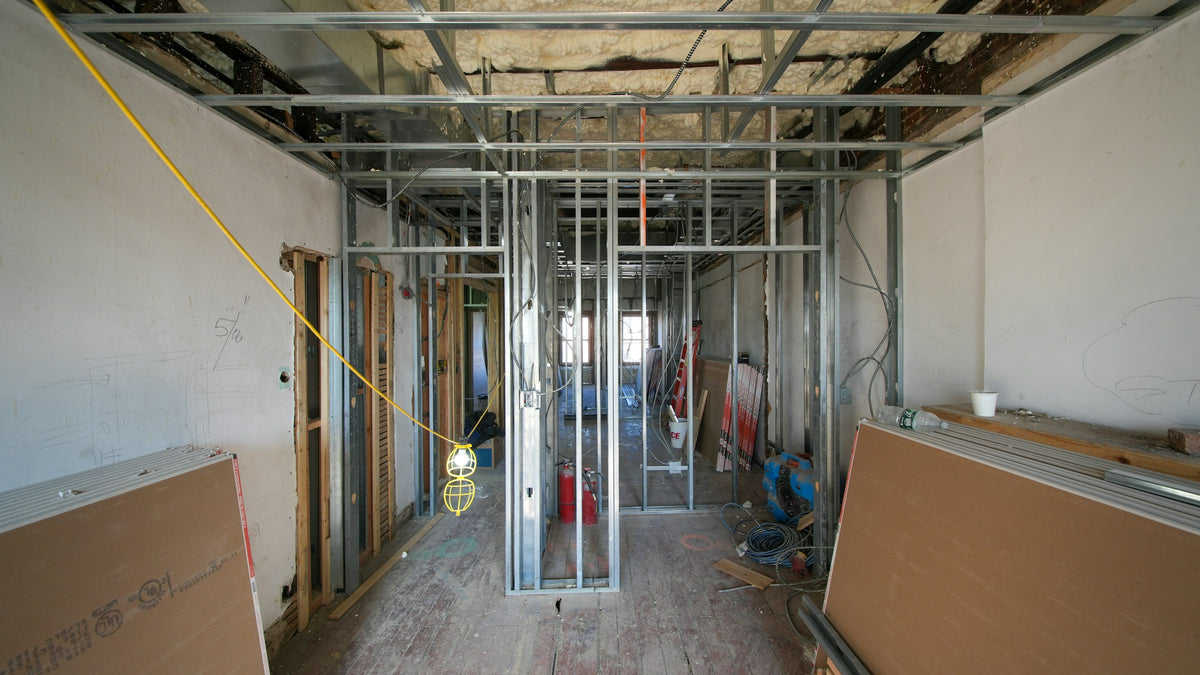
The mount gets all the attention, but the wall does the work. The same bracket that is rock solid in a wood stud can pull straight out of bare drywall. So before you choose a mount, find out what you are fastening into.
The short version
Most Canadian houses are framed with wood studs spaced 16 in apart, centre to centre. Some walls use 24 in. Mark both edges of each stud so you can drill into the middle, drill pilot holes, and drive the lag bolts supplied with the mount through the wall plate into two studs.
Studs are rarely where you want the TV to be. That is why our low-profile mounts, including the NBC2-F, NBC3-F and tilting NBC2-T, let the screen slide sideways along the wall plate after it is hung. Bolt the plate where the studs are, then centre the TV where you want it.
Steel studs are thin, hollow channels. A lag bolt has almost nothing to bite into, so the hardware that works in wood will not hold here.
Solid concrete is the strongest wall you can mount to. You need a hammer drill, a masonry bit and anchors made for the job.
Plaster walls still have studs behind them. Find them with a magnet or a test hole, drill slowly with a sharp bit so the plaster does not crack, and fasten into the framing. The thin wood lath behind the plaster is not strong enough on its own.
Never hang a TV from drywall with nothing behind it. Plastic plugs and small drywall anchors are made for picture frames. A TV on a mount pulls outward as well as down, and drywall will eventually let go.
If your lease, your condo board or your wall says no, skip the wall. A mobile TV cart holds the screen at the same height with no holes at all, and it rolls from room to room. See nine smart ways to use one.
Once you know your wall, the rest is straightforward: follow our step-by-step installation guide, or send us your wall type and TV model and we will recommend a mount. Browse all TV wall mounts.
It looks great in photos, but heat and neck strain ruin a lot of fireplace TVs. Run these four checks first, then pick a mount that tilts or...
A TV mount is only as strong as what it is bolted to. Learn to find the centre of a wall stud in six simple steps, prove it...
Screen size is only one of three numbers that decide whether a mount fits. Use this chart to match your TV’s size, weight and VESA pattern to the...
Try the mount finder for an instant match, or send us your screen model and wall type and we'll recommend a mount.

