


How to Use a Stud Finder (and 5 Ways to Find a Stud Without One)
A TV mount is only as strong as what it is bolted to. Learn to find the centre of a wall stud in six simple steps, prove it...


How-to
It looks great in photos, but heat and neck strain ruin a lot of fireplace TVs. Run these four checks first, then pick a mount that tilts or pulls the screen down.
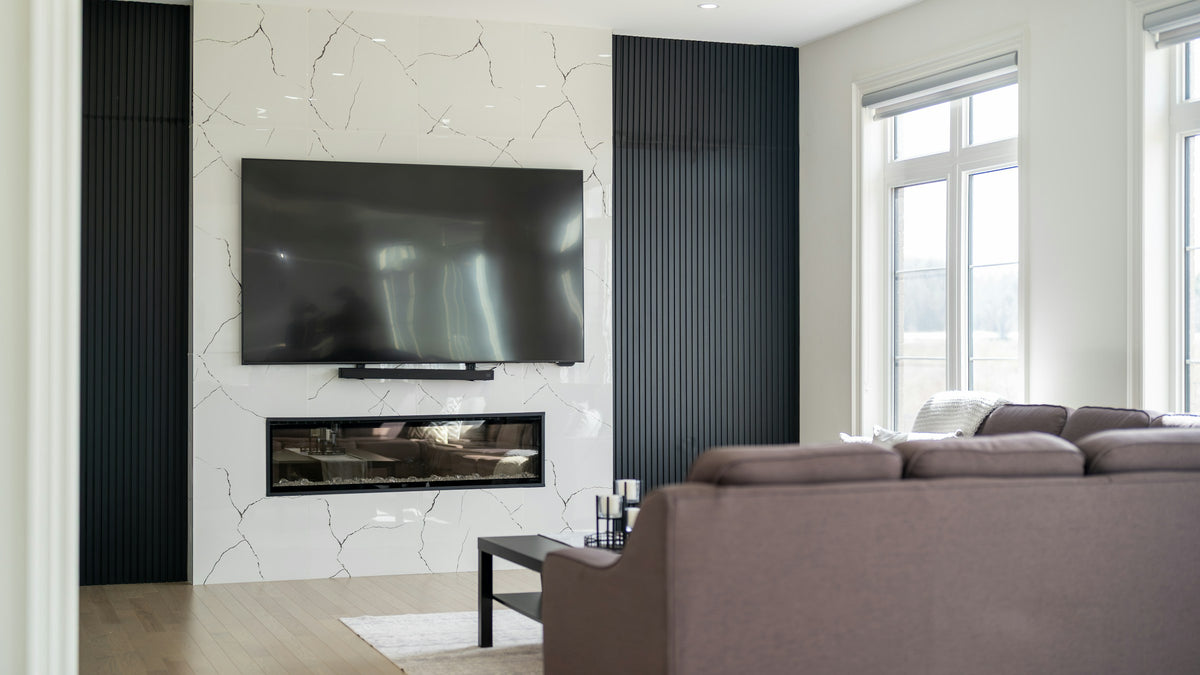
The wall above the fireplace is the most tempting spot in the house for a TV. It is also the spot most likely to cook the screen or strain your neck. Neither problem is hard to avoid. Run these four checks before you pick up the drill.
The short version
Heat rises, and electronics hate it. Most TV makers list a maximum operating temperature of about 40 °C (104 °F). Check the manual for your model, then test your wall:
A deep mantel helps by pushing rising heat out into the room. Electric fireplaces that blow warm air from the front are the friendliest. Open wood-burning fireplaces are the hardest on a TV.
A comfortable TV has its centre near seated eye level, about 42 in from the floor. Above a mantel, the centre often lands at 60 in or more. Sit in your usual seat and look at the spot. If your chin lifts, the screen needs to tilt down toward you. Our TV mounting height guide has the numbers.
Fireplace walls are full of surprises: brick, stone veneer, a framed chimney chase or a steel firebox behind drywall. Find out what is there before you buy anchors. Use masonry anchors in solid brick or concrete, and stay out of the mortar joints. On a framed wall, fasten into the studs. Our guide to mounting on any wall type walks through each one.
Dangling cords and a firebox are a bad mix. The clean solution is an outlet behind the TV, installed by an electrician. Do not run the TV’s own power cord inside the wall. Check that your HDMI cables are long enough to reach, with some slack if the mount moves.
Sometimes the honest answer is no. If the wall fails the heat test, or the screen would sit so high that no amount of tilt makes it comfortable, put the TV on the wall beside the fireplace. A full-motion mount on a side wall can swing the screen to face the sofa, and you keep the fireplace as the focal point.
Not sure which way to go? Send us a photo of your fireplace wall and your TV model, or browse tilting TV mounts and full-motion TV mounts. Every order ships free across Canada.
TV Wall Mount
70–90 in · 200 lb max
TV Wall Mount
30–40 in · 11–22 lb
A TV mount is only as strong as what it is bolted to. Learn to find the centre of a wall stud in six simple steps, prove it...
Screen size is only one of three numbers that decide whether a mount fits. Use this chart to match your TV’s size, weight and VESA pattern to the...
A step-by-step guide to hanging a TV on a stud wall: the tools you need, the eight steps, the mistakes to avoid, and a video of a full-motion...
Try the mount finder for an instant match, or send us your screen model and wall type and we'll recommend a mount.

